
Free File Size Converter
File sizes can be confusing when you are downloading files, checking phone storage, buying a laptop, using a memory card, or comparing cloud storage. You may see units like Bytes, KB, MB, GB, and TB, but it is not always easy to understand how they are connected.
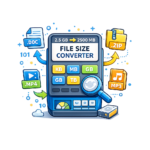
This free File Size Converter helps you convert file sizes between Bytes, Kilobytes, Megabytes, Gigabytes, and Terabytes. It is made for beginners who want a simple way to understand digital storage units.
File size conversion tool
Use this tool to convert file sizes quickly. Enter a number, choose the starting unit, choose the unit you want to convert to, and get the result instantly.
You can convert:
- Bytes to KB, MB, GB, or TB
- KB to Bytes, MB, GB, or TB
- MB to KB, GB, or TB
- GB to MB, KB, or TB
- TB to GB, MB, or KB
This tool also includes binary and decimal conversion modes. Binary mode uses 1024 steps, while decimal mode uses 1000 steps. This is useful because file sizes may appear differently on computers, storage devices, websites, and operating systems.
How to Use This Tool
Using this Digital file size converter is simple. Here is a stepwise guide to use this calculator:
- Enter the file size value in the input box.
- Choose the unit you are converting from, such as KB, MB, GB, or TB.
- Choose the unit you want to convert to.
- Select the conversion method: Binary 1024 or Decimal 1000.
- Click the “Convert File Size” button.
- Read the converted result and simple explanation.
- Use the “Swap Units” button if you want to reverse the conversion.
- Use the “Reset” button to start again.
- Use the “Copy Result” button if you want to save or share the answer.
You can also use the quick examples, such as 1024 MB to GB, 1 TB to GB, 2048 KB to MB, 5 GB to MB, and 500 MB to GB.
Example of Data size Converter
Suppose you want to convert 1024 MB to GB.
If you use binary mode, the tool will show:
1024 MB = 1 GB
This means that 1024 megabytes are equal to 1 gigabyte in binary conversion mode.
Here is another example:
If you convert 1 TB to GB in binary mode, the tool will show:
1 TB = 1024 GB
This is useful when you want to understand laptop storage, external hard drives, phone storage, memory cards, or cloud storage space.
You May Also Like These Tools
Why This Tool Is Useful
This File Size Converter is useful because file size units are used everywhere in digital life. When you download a file, upload a video, buy a laptop, choose a phone, or compare a cloud storage plan, you need to understand storage units.
This tool can help you:
- Understand the difference between KB, MB, GB, and TB
- Convert file sizes quickly
- Check download file sizes
- Compare phone and laptop storage
- Understand memory card capacity
- Estimate cloud storage space
- Learn basic computer storage units
- Avoid confusion between small and large files
- Understand why file sizes may look different on different devices
For example, if a video file is 2 GB, you can convert it to MB to understand its size more clearly. If a phone has 128 GB storage, you can use this tool to understand how much space that means in MB.
Binary Mode vs Decimal Mode
This tool gives two conversion methods:
Binary mode:
Binary mode uses 1024 steps. It is commonly used in computer memory and operating system calculations.
Decimal mode:
Decimal mode uses 1000 steps. It is commonly used by many storage companies and product labels.
Because of this difference, the same storage size may sometimes look slightly different on a computer, mobile phone, hard drive, or storage product.
Latest Online Tools



For beginners, the simple idea is this:
- Use binary mode when you want computer-style conversion.
- Use decimal mode when you want storage-product-style conversion.
Common File Size Units
Here are some known units we used while converting the size of our files.
1. Bytes
A byte is a very small unit of digital information. Very small files may be measured in bytes.
2. Kilobytes
Kilobytes are used for small files, such as tiny text files, icons, or small documents.
3. Megabytes
Megabytes are commonly used for photos, PDFs, audio files, documents, and small apps.
4. Gigabytes
Gigabytes are used for videos, games, software, phone storage, laptop storage, and large files.
5. Terabytes
Terabytes are used for large hard drives, backups, servers, and cloud storage plans.
Frequently Asked Questions
Find quick answers to common questions about using our File Size Converter Tool to convert KB, MB, GB, TB, and bytes easily and accurately.
Frequently Asked Questions
What is the difference between KB, MB, GB, and TB?
KB, MB, GB, and TB are digital storage units. KB is smaller than MB, MB is smaller than GB, and GB is smaller than TB. These units are used to measure file sizes, device storage, memory cards, and cloud storage.
How many MB are in 1 GB?
In binary mode, 1 GB is equal to 1024 MB. In decimal mode, 1 GB is equal to 1000 MB. The difference depends on the conversion method being used.
How many GB are in 1 TB?
In binary mode, 1 TB is equal to 1024 GB. In decimal mode, 1 TB is equal to 1000 GB.
Conclusion
Understanding file sizes is important when using computers, phones, memory cards, downloads, and cloud storage. This free File Size Converter makes it easy to convert Bytes, KB, MB, GB, and TB in a simple beginner-friendly way.
Use this tool whenever you want to quickly convert a file size and understand what it means in real digital storage.